
What does this feature do?
Connects SnapStream to a customer's own Reuters Connect account so users can browse upcoming Reuters live events and schedule them to record. When a scheduled event goes live, SnapStream automatically subscribes to the Reuters stream, records it, and adds it to the Library named after the event, where it can be clipped, transcribed, and shared like any other recording.
Where can the feature be found?
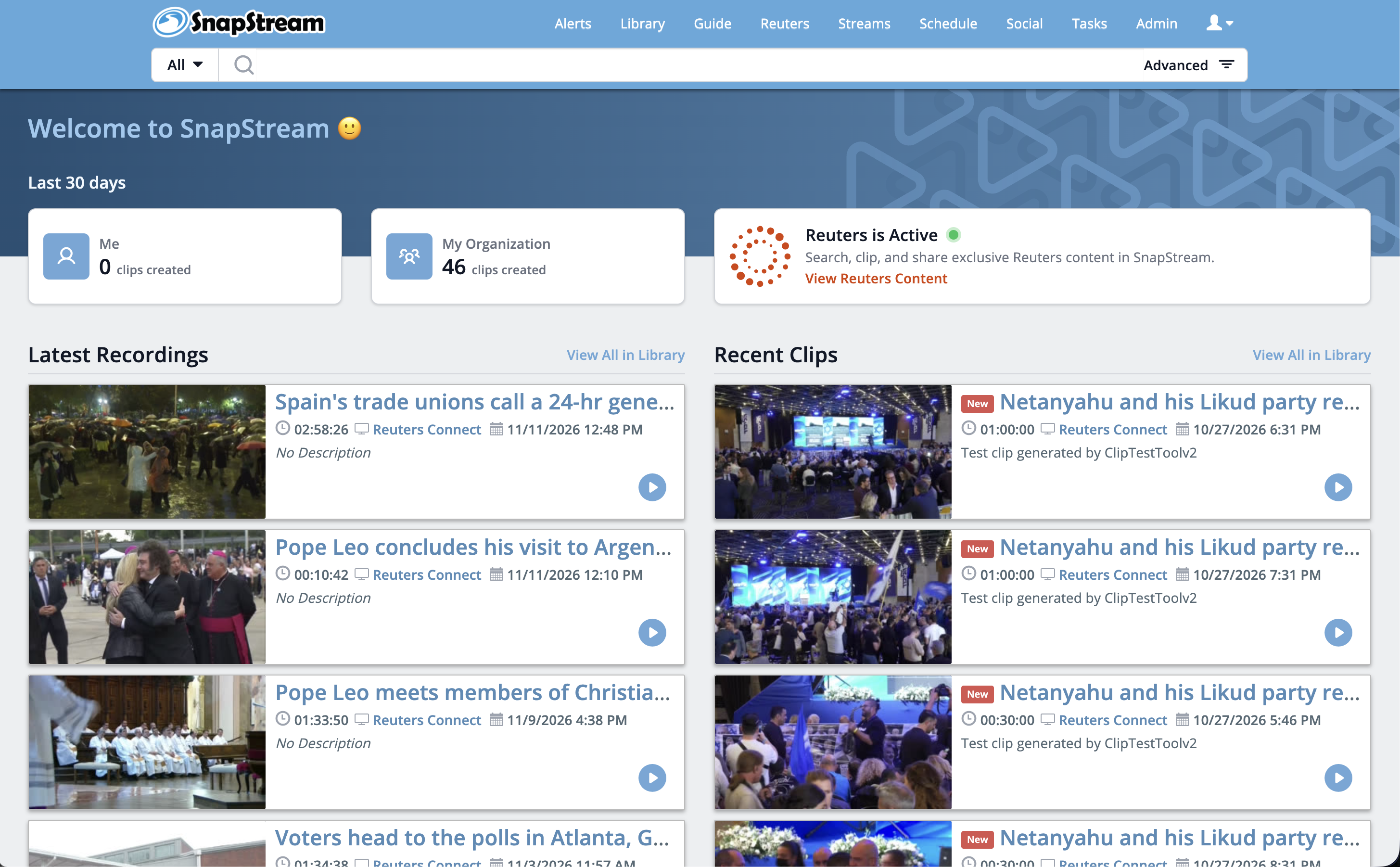
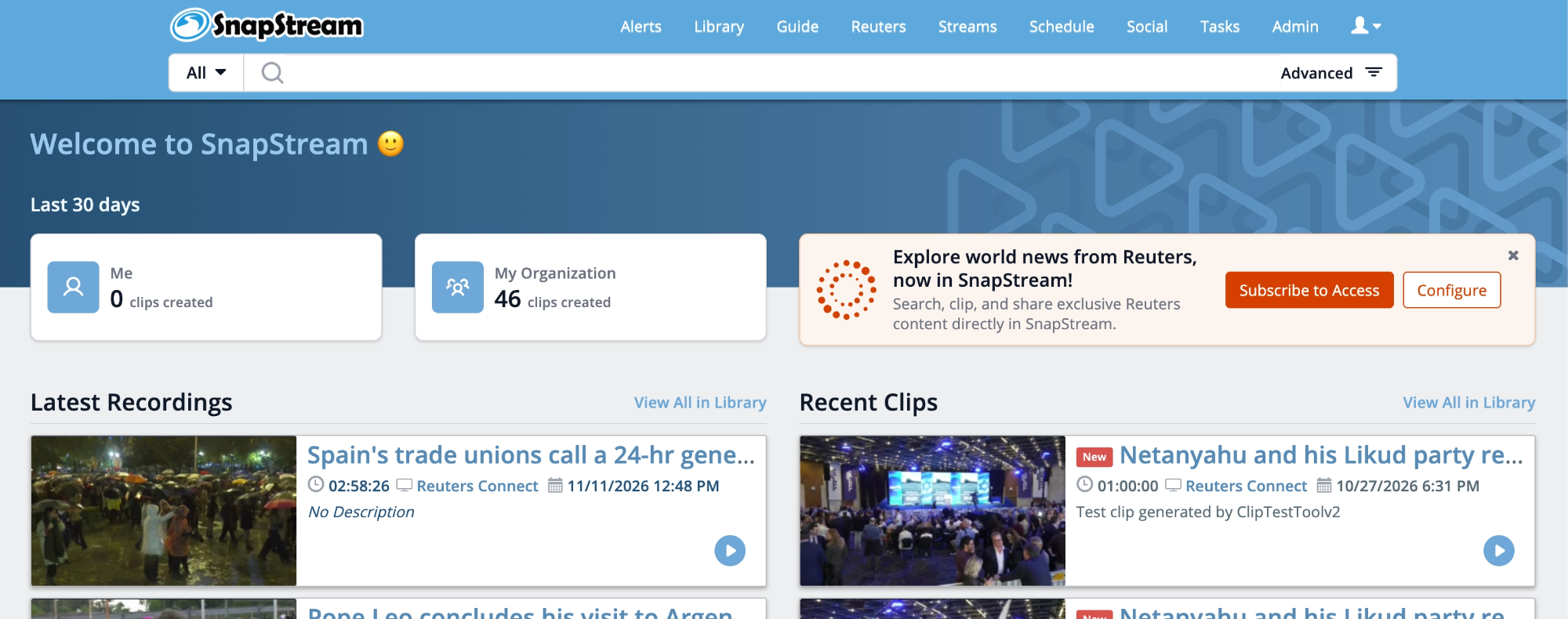
- Homepage banner: a Reuters banner on the homepage guides users through setup, where they connect their account with their Reuters Client ID and Client Secret. Once the account is connected, the same banner gives direct access to the Reuters section.
- Reuters tab in the main navigation: "Reuters" appears as a top-level tab between Guide and Streams. Users browse events and choose which ones to record here.
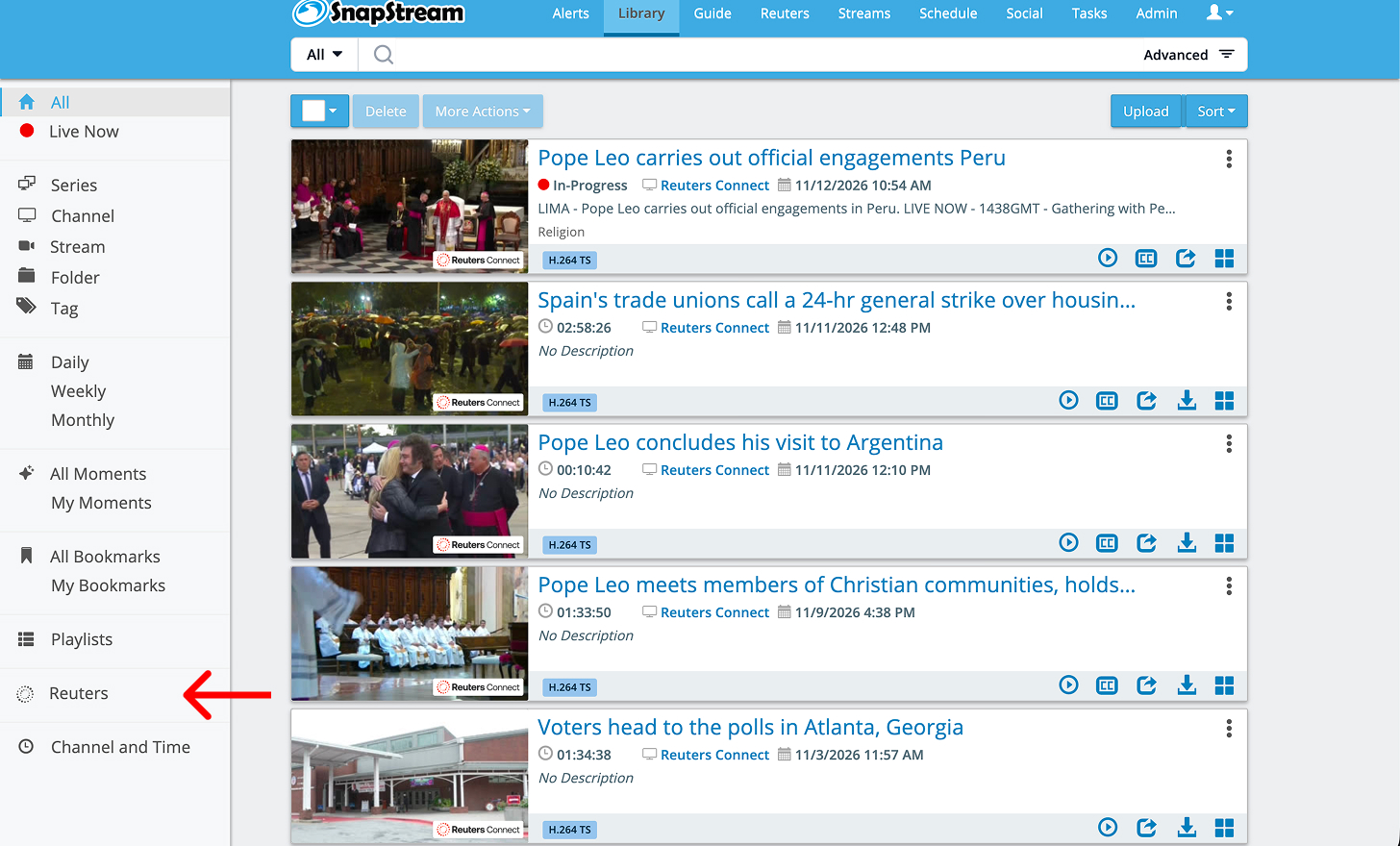
- Library: finished recordings appear in the All tab alongside other recordings, and are also grouped in a Reuters folder in the Library's left sidebar. Each is titled with the Reuters event name and shows the Reuters logo on its thumbnail.
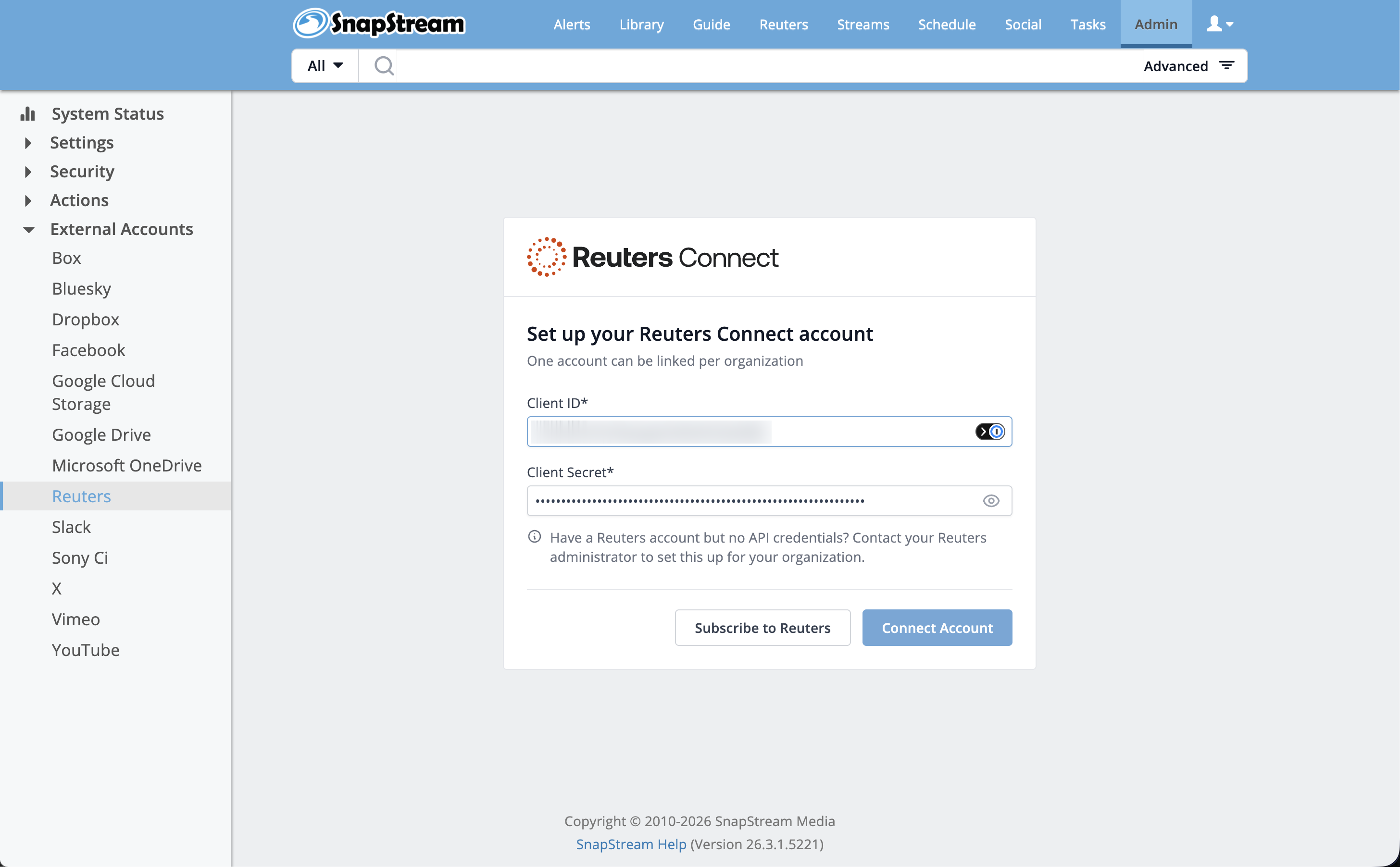
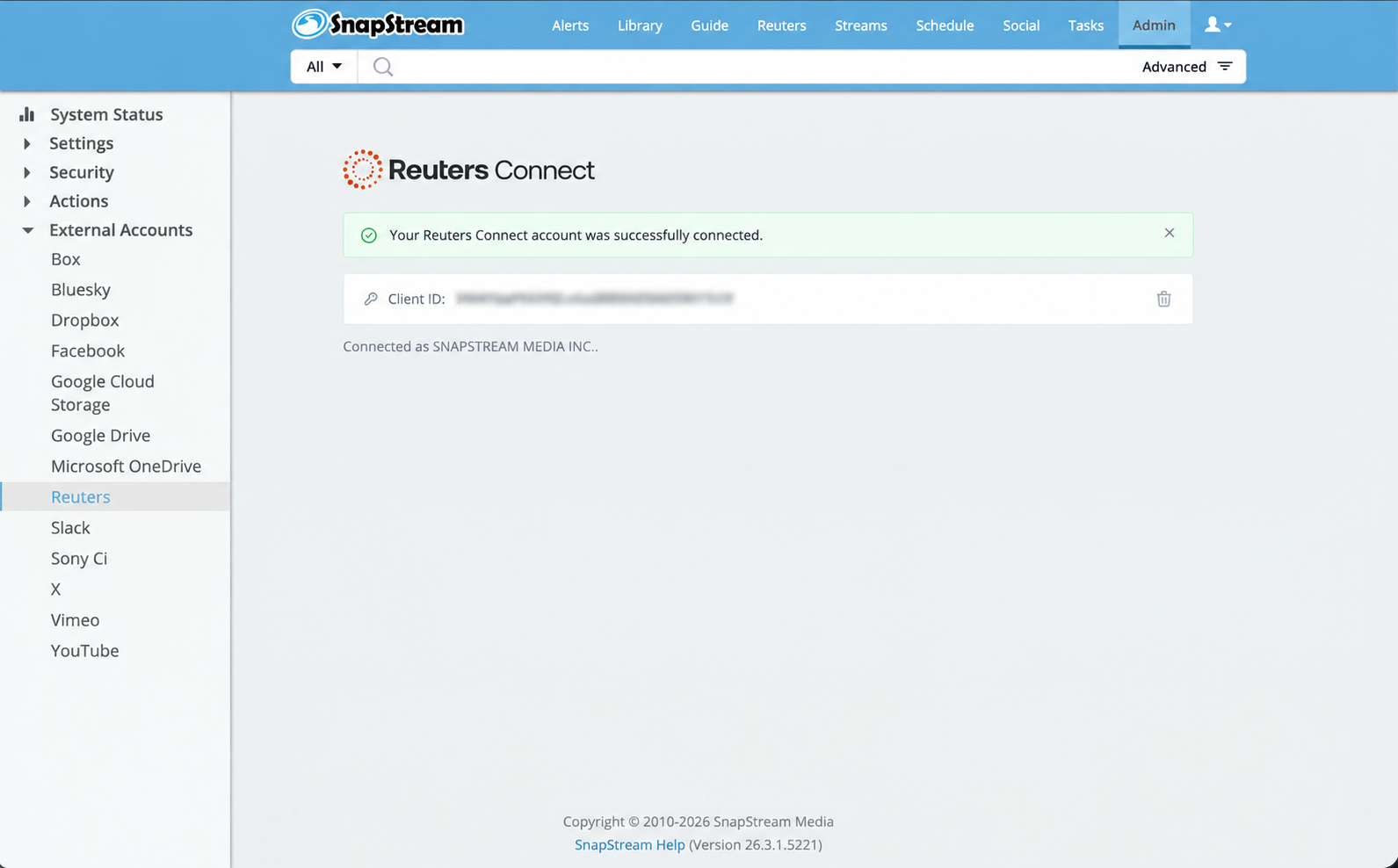
- Admin › External Accounts › Reuters: where the Reuters configuration lives. From here an administrator can view the connection and delete the access credentials.
How can I get started?
Connecting a Reuters account
The Reuters integration lets you connect your organization's Reuters account to SnapStream. Each SnapStream Cloud instance connects to one Reuters account, using your organization's own Reuter's credentials.
Before you begin: Get your Reuters credentials
To connect, you'll need a Reuters Client ID and Client Secret. These are API credentials issued by Reuters to subscribing customers. They are separate from your regular Reuters Connect login, so you'll need to request them from Reuters:
- Contact your Reuters account manager. If you aren't sure who that is, contact Reuters Customer Support.
- Request Reuters Connect API credentials (Client ID and Client Secret) for use with a third-party integration.
If API access isn't included in your current Reuters subscription, Reuters may need to add it before issuing your credentials.
Connect Reuters to SnapStream
- Sign in to SnapStream and click the Reuters banner on the homepage.
- Enter your Client ID and Client Secret.
- Click Save. The integration is active as soon as your credentials are saved.
For your security, the Client Secret is never displayed after it's saved.
Manage or disconnect your Reuters account
Administrators can manage the connection at any time under Admin > External Accounts > Reuters. To disconnect your Reuteres account, delete the saved credentials on that page.
Reuters section
The section has a left sidebar with three views:
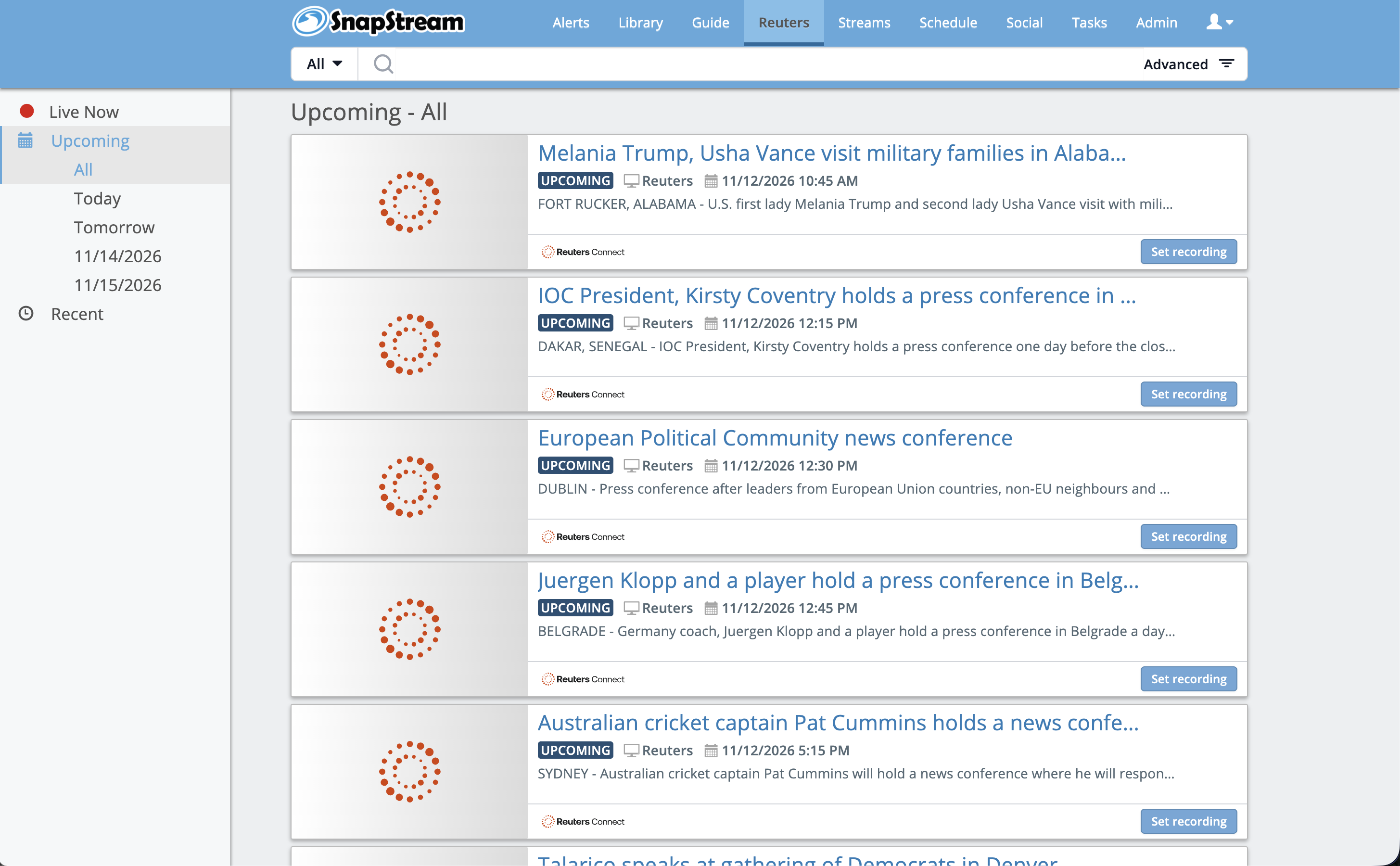
- Upcoming (default view when the user clicks Reuters in the main navigation): shows all upcoming Reuters events, up to 4 days in advance
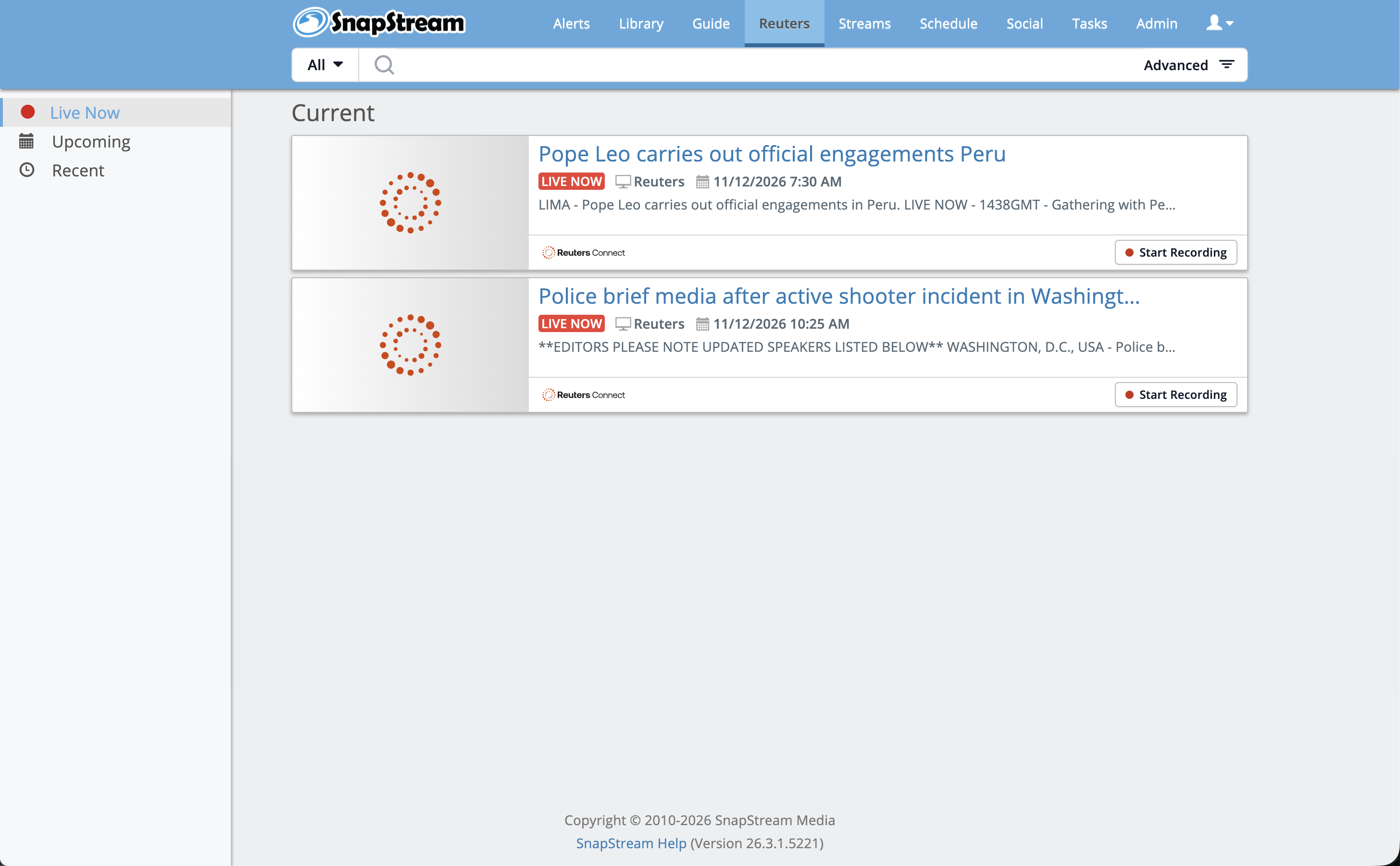
Live Now (shown under the "Current" heading): events currently live, plus events about to start
Recent: past Reuters events, newest first, filterable by date (All, Today, Yesterday, or a specific day). Ended events can't be recorded.
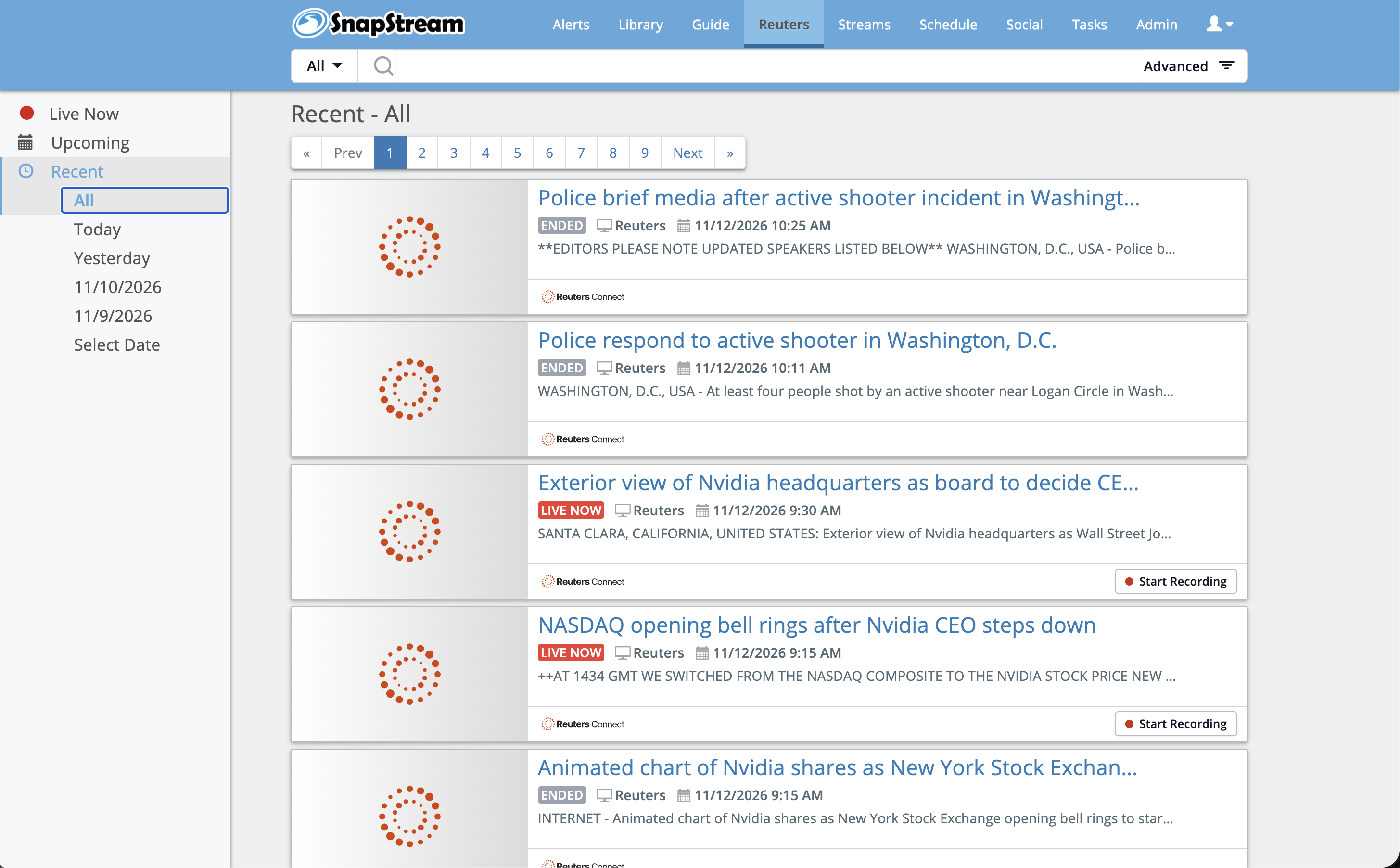
Each event appears as a card with:
- A Reuters Connect thumbnail
- The event title
- A status badge: LIVE NOW (red), UPCOMING (dark blue), or ENDED
- The channel label "Reuters"
- A location and description line (e.g. "NEW YORK, NEW YORK – …")
- The Reuters Connect logo
- An action button: Start Recording for live events, Set recording for upcoming events
The event schedule is refreshed from Reuters every 5 minutes.





Recording events
There are no options to configure; all recording settings are predefined. Users just click:
- Start Recording on a live event to record it right away
- Set recording on an upcoming event to have it recorded automatically when it goes live
Scheduled events wait for the feed to start. Once a recording has started, it can't be stopped; it continues until the event ends.
Automatic recording
SnapStream checks selected events every 15 seconds. When an event goes live, it sets up a temporary video input, asks Reuters to push the stream to it, and starts recording. Recording typically begins 5 to 45 seconds after the event goes live.
When the event ends, the recording stops and the connection to Reuters is released. Once post-processing (proxy, transcription, captions, thumbnails) finishes, the temporary video input is automatically removed.
Library behavior
- Finished recordings appear in the Library's All tab, mixed in with other recordings
- They are also grouped in a dedicated Reuters folder in the Library's left sidebar
- Reuters recordings are easy to recognize because the Reuters logo is included on the thumbnail
- It is titled with the Reuters event name
Notifications
Admins receive email/Slack system notifications (through existing Notify Groups) when the Reuters connection fails and again when it recovers. Credential problems notify immediately; temporary network problems notify only after about an hour of repeated failures.
What are the limitations of the feature?
- Requires the customer's own Reuters Connect contract. Only channels covered by that contract are available.
- Recording quality depends on Reuters. SnapStream always requests the best available quality, but records whatever stream Reuters delivers.
- Reuters content may not be retained in SnapStream for more than 30 days. This is a license limitation from Reuters.
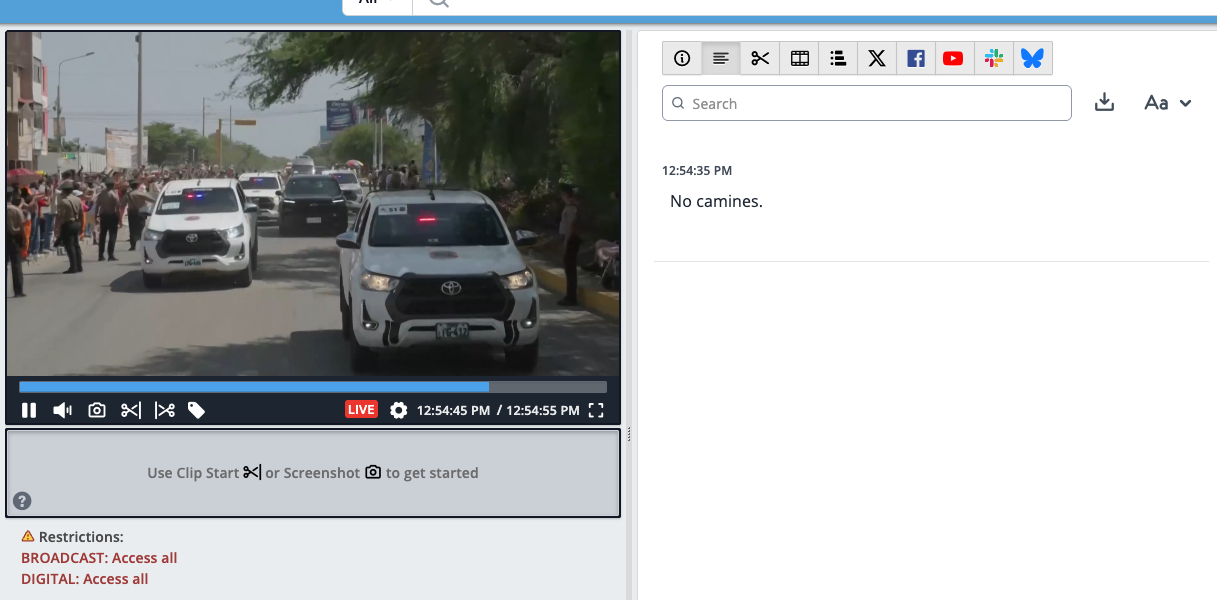
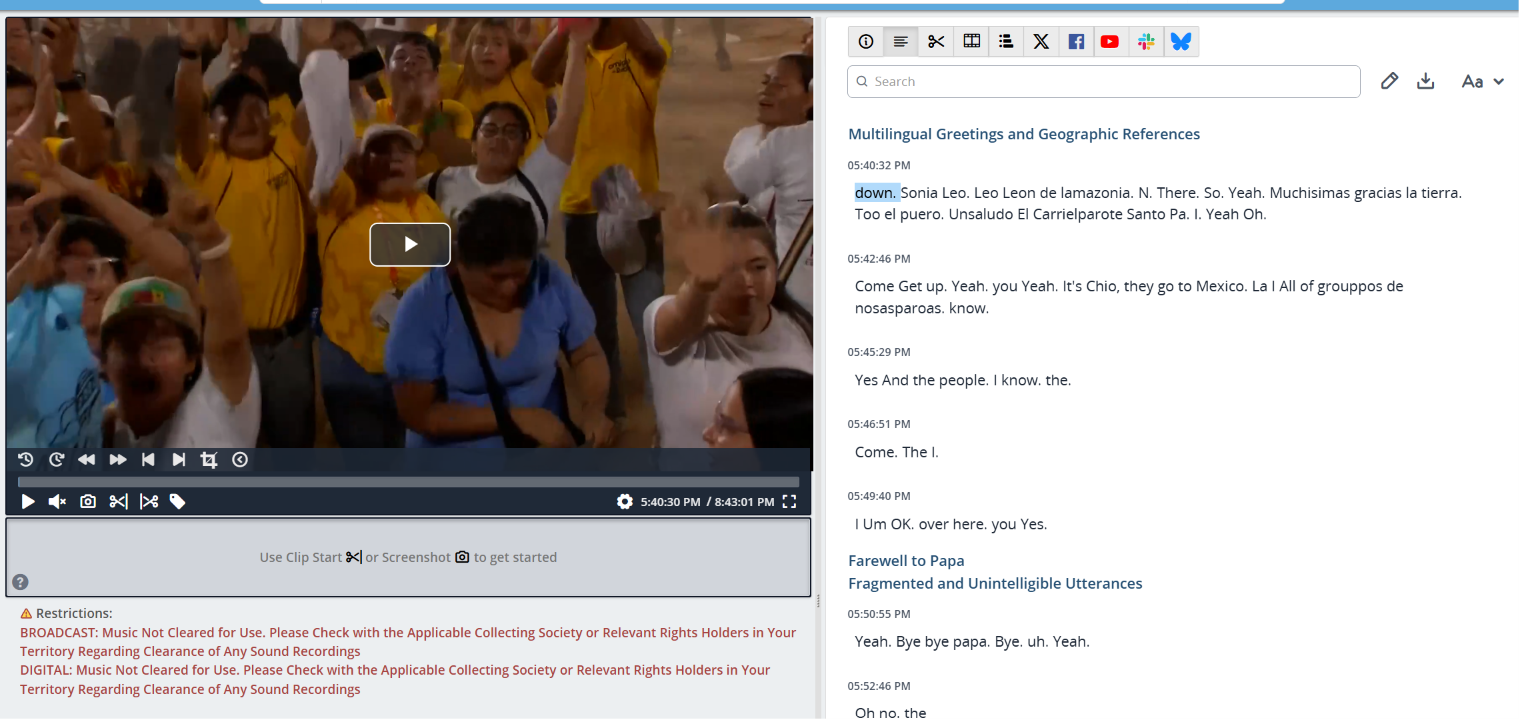
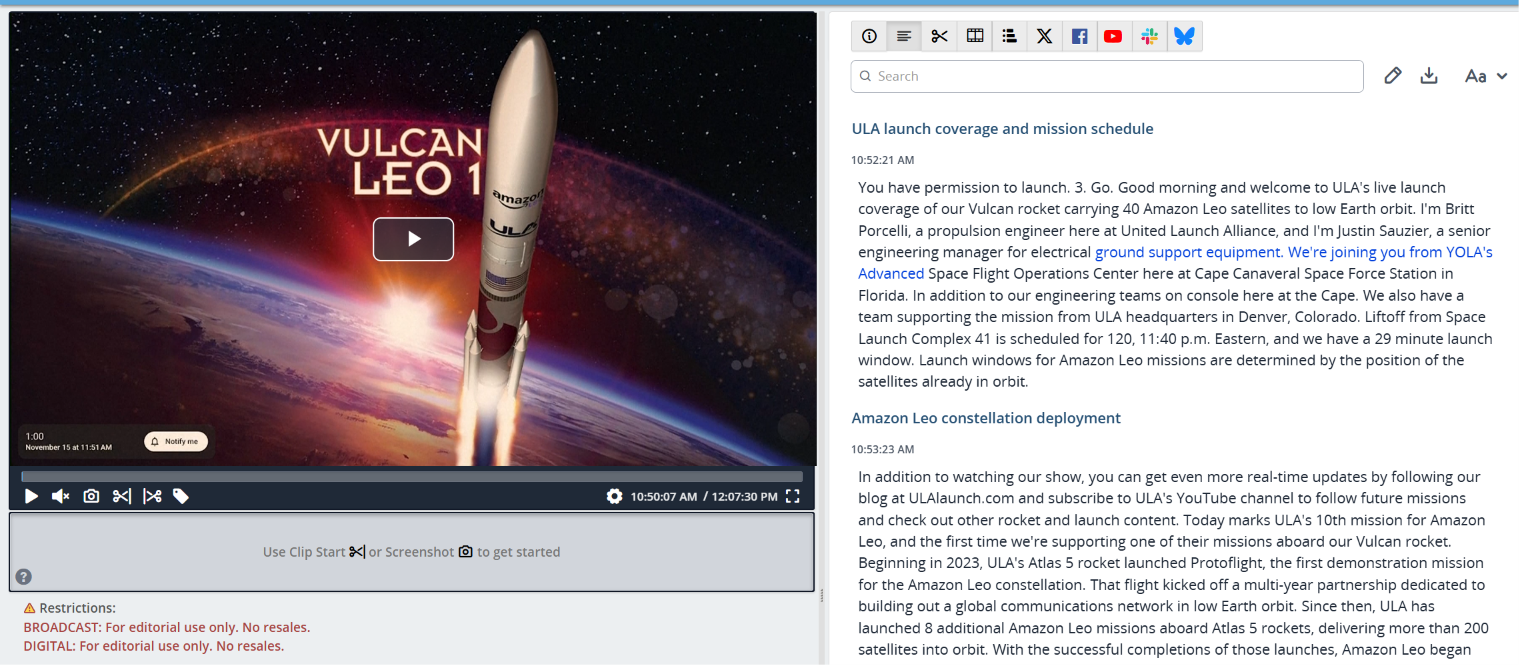
- Reuters places other limitations on how content may be used. These limitations are displayed in the Web Player.
Examples of restrictions:
Applies to Version:
Version 26.4+